


|
Name |
Cx File Explorer |
|---|---|
|
Google Play Link |
GET IT ON
Google Play
|
|
Category |
Tools |
|
Developer |
Cx File Explorer |
| Last version | 2.7.8 |
|
Updated |
|
|
Compatible with |
Android 5.0+ |
Introduction to Cx File Explorer
Cx File Explorer is a utility app built for Android that lets you organize, manage, and clean your device's storage without needing a tech manual. Think of it as your personal file assistant, but way smarter and smoother than the usual cluttered file managers. Whether you’re handling downloads, digging through old photos, or trying to figure out where your phone’s space went, this app keeps it chill and clear.
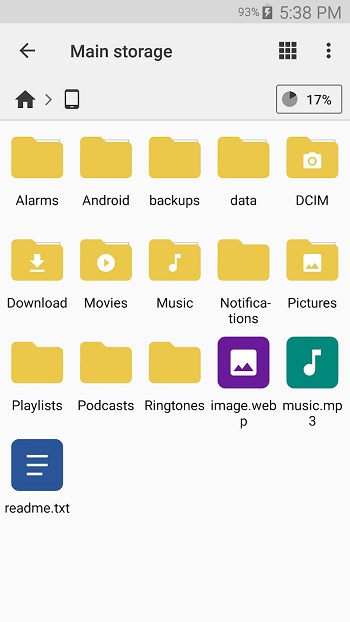
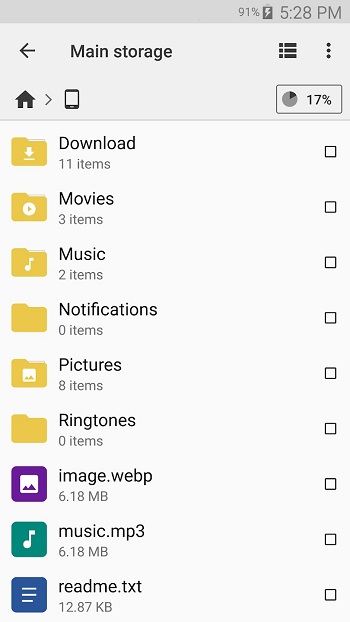
At first glance, Cx File Explorer feels familiar, especially if you’ve used Windows Explorer or Finder before. But once you tap in, you’ll notice it’s way more than basic. From internal storage to cloud services like Google Drive and Dropbox, and even network-connected drives, you get full control of your files across the board. It’s super handy for people juggling multiple storage spaces without wanting to bounce between apps.
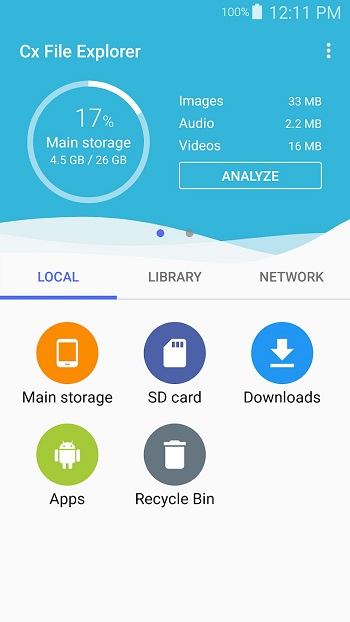
One of the standout things here is the visual storage analyzer. Instead of scrolling through folders guessing what’s taking up space, it gives you a simple, colorful breakdown — so you can delete that 3-year-old folder of memes in one swipe. Plus, it’s got a Recycle Bin feature too, which low-key saves lives when you delete something by accident.
If you’re the type who likes your device clean and running smooth, the built-in storage cleaner helps wipe out junk files, duplicates, and even apps you forgot you installed. No extra downloads, no weird permissions — just tap, scan, clean. Super chill and easy to use, even if you’re not tech-savvy.
What’s cool is that you don’t have to stick to local files. This app gets along with network drives (like FTP, SMB, LAN, and WebDAV), so if your files are sitting on your NAS or even your laptop, you can manage them right from your phone. It’s perfect for students, remote workers, or anyone living the multi-device life.
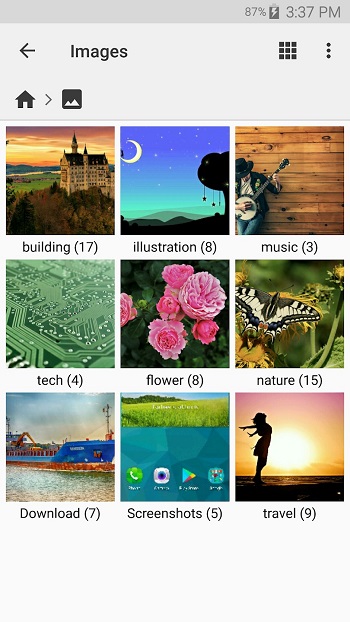
The UI? Clean, bright, and laid out with zero confusion. You've got three simple sections: Local (for your device), Library (for media), and Network (for all the remote stuff). It doesn’t try to look fancy just for the sake of it — everything’s where you’d expect it to be. One heads-up, though: there’s no dark mode yet, so night owls might want to dim their screens.
All things considered, Cx File Explorer brings serious organization vibes with none of the stress. It’s ad-free, totally free to use, and surprisingly lightweight for how much it does. If you’ve ever felt lost in your phone’s files or annoyed by bloated storage apps, this one keeps it clear, simple, and genuinely helpful.
FAQs Cx File Explorer
What is Cx File Explorer?
+
Cx File Explorer is an Android file manager app that lets you browse, clean, and organize files across local, cloud, and network storage with ease.
Can Cx File Explorer access cloud storage?
+
Yes, it connects with cloud services like Google Drive and Dropbox, so you can manage files stored online directly from your phone.
Does Cx File Explorer work with network drives?
+
Absolutely. It supports protocols like FTP, SMB, and WebDAV, making it easy to access files on remote servers or NAS devices.
Is Cx File Explorer APK free to use?
+
Yes, it’s completely free and has zero ads. You get full functionality without paying or getting interrupted by pop-ups.
Can I recover deleted files with Cx File Explorer?
+
Yes, it includes a Recycle Bin feature, so you can restore files you’ve deleted by mistake — just like on a desktop system.
Discover More Interesting Apps
-
 Mod
Mod
OBDeleven
v2.8.0
58.17 Mb
Updated -
HA Tunnel Plus
v1.7.1
25.31 Mb
Updated -
Quick Share
v1.0.0.22
47.57 Mb
Updated -
Mod
LTE Discovery
v7.5.0
27 MB
Updated -
PDF Editor
v6.2
61.31 Mb
Updated -
Mod
Material Capsule
v15.6
86.09 Mb
Updated -
GearUP Game Booster
v4.0.1
19.38 Mb
Updated -
Hik Connect
v6.13.820.0729
337.59 Mb
Updated -
Mod
Cool VPN
v1.0.442
126.00 Mb
Updated -
Mod
TLS Tunnel
v8.2.0
17.20 Mb
Updated










Share Your Thoughts